Venmo for Teens: A Practical Parent Guide to Safer Use
Venmo for Teens gives parents a supervised way to let a teen use digital money, but it still needs rules before you approve it. A teen payment app can make allowance, lunch money, small reimbursements, and debit card spending easier. It can also create problems if your teen treats every payment request like a text message.
That’s the part to slow down on. Venmo for Teens is not just a convenience tool. It involves privacy settings, spending limits, card access, direct deposit details, scam risk, and basic recordkeeping if your teen earns money from a job or side gig.
This guide walks you through what parents should understand before setup: how the account works, what you can monitor, what you can’t fully control, and which money habits your teen should learn before the first payment goes out.
Is Venmo for Teens safe for your teen?
Venmo for Teens can be safe for some teens, but only when a parent actively reviews the account and sets clear rules. The app gives parents visibility into teen transactions, email activity alerts, privacy controls, and user-blocking options through Venmo’s official safety settings. That helps, but it doesn’t remove judgment from the parent.
The fit depends on your teen. If they can verify payment requests, keep privacy settings tight, and ask before paying strangers or buying from random sellers, the account may work. If they hide spending or rush payments, wait. Digital money moves fast. So should your rules.
What is Venmo for Teens?
Venmo for Teens is a supervised Venmo profile for eligible 13- to 17-year-olds that connects to a parent or guardian’s main account. It has a separate balance, limited app access, and an optional Teen Debit Card, while the adult can view spending activity and manage the account through Venmo’s official Teen Account FAQ
Teens can use it to:
- send and receive money with friends and family
- use the Venmo Teen Debit Card
- set up direct deposit
- add personal payment methods when allowed
They cannot use every regular Venmo feature. Teen Accounts cannot:
- open a Venmo Credit Card
- create a business or charity profile
- use crypto features
- receive payments for goods and services
- cash checks
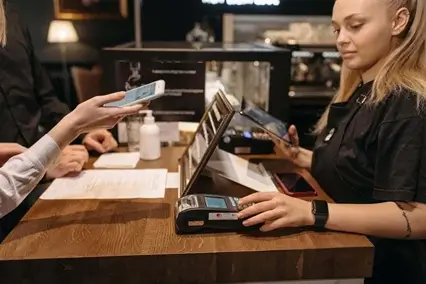
That matters because this is not a full adult account. It is a supervised money tool, and parents should treat it like training wheels for digital spending, not a blank check. That small distinction helps you set better limits before your teen starts sending, spending, or accepting money online later.
How do you set up a Venmo Teen Account?
A parent or legal guardian sets up or approves the Teen Account through their own verified Venmo account, then reviews the teen’s information before activation. Venmo’s Teen Account FAQ says the adult must be identity-verified and can manage fewer than five Teen Accounts.
Parent-started setup
To start from the parent account:
- Open the Venmo app.
- Go to the Me tab.
- Tap the profile dropdown.
- Choose “Create a teen account.”
- Add the teen’s details.
- Choose the Teen Debit Card color.
- Review the account settings before adding money.
Do not rush that last part. Setup is the easy piece. The smarter move is to check privacy, spending expectations, card use, and what your teen should do before sending money to someone new.
Teen-started request
A teen can start the request from their phone, but that does not mean the account is active yet. You still have to approve it from the parent side, and Venmo says the request expires after 14 days. If your teen says, “I sent it already,” and nothing shows up later, the setup may have simply timed out.
If approval gets stuck, check the simple stuff first: update the app, finish parent identity verification, confirm the phone number matches, and make sure you’re not already managing the maximum number of Teen Accounts. Most setup issues are boring like that. Annoying, yes, but usually fixable before you blame the account itself.
What can parents monitor and control?
Parents can monitor activity, adjust privacy settings, block users, manage the friends list, and lock or unlock the Teen Debit Card. Venmo’s official safety settings page says teen transactions are private by default, and parents can review account activity through their own app. That’s useful oversight, but it is not the same as full control.
Controls parents get
Parents can see the practical money trail:
- payments sent and received
- debit card purchases
- account balance activity
- email alerts tied to account activity
- privacy settings
- blocked users
- the teen’s friends list
That gives you a decent window into what’s happening, especially if you review it weekly instead of only after something feels off.
What parents do not fully control
Here’s the catch: Venmo says parents cannot set custom spending limits inside the Teen Account. You can lock the card, monitor activity, and decide how much money to send in, but you cannot create your own “$25 per day” rule in the app.
So the real control is the balance. If you only want your teen spending $40 this week, do not load $200 and hope the rule sticks. That is not supervision. That is wishful thinking with a debit card attached.
Why privacy settings matter
Privacy should stay tight. Teen transactions are private by default, and that is the right setting.
Public payment notes can reveal more than teens realize: where they went, who they paid, what they bought, and sometimes who they spend time with. Keep the account boring on purpose. Boring is safer.
What risks should parents explain before the first payment?
The biggest risks are not just fees or spending limits. The bigger issues are scam requests, wrong recipients, overspending, public payment details, lost devices, and treating a payment app like a bank account.
Scam and stranger-payment risks
Start with the rule your teen will remember: do not send money to strangers, prizes, giveaways, or “deposits” without asking you first. The FTC’s payment app scam guidance warns that scammers push people to send money because getting it back can be difficult. That matters even more when a teen feels rushed.
Teach your teen to pause when a request feels emotional or urgent:
- “I’m stuck. Send me $40.”
- “Pay this fee to claim your prize.”
- “Send a deposit before someone else gets it.”
- “Don’t tell your parents.”
That last one is the alarm bell. If secrecy is part of the request, your teen should stop and show you the message.
Wrong-recipient risk
A wrong payment can happen fast. Before tapping send, your teen should check the name, username, phone number, amount, and note. One similar profile photo is enough to cause trouble.
Stored balance risk
Do not let the account become a holding tank for money. The CFPB has warned that funds stored in payment apps may not always carry the same protection people expect from insured bank accounts. Use the balance for planned spending, not savings.
Lost card or lost phone
Your teen needs a simple response plan: lock the card, change the password if needed, review recent activity, and tell you immediately. No lecture first. Secure the account, then talk. The repair conversation works better after the money is protected.
Parent checklist before you approve the account
Before you approve the account, set the house rules while everyone is calm. It is much harder to explain limits after your teen already sent money to the wrong person or spent the balance on three small purchases before lunch.
Use this checklist first:
- Keep teen transactions private.
- Fund only what you are comfortable letting your teen spend.
- Pick a weekly review day, not a random “show me your phone” moment.
- Require your teen to verify every payment request before sending money.
- Ban payments to strangers, even if the profile looks familiar.
- Ban payments for prizes, raffles, “deposits,” or online sellers unless you review them first.
- Decide whether ATM withdrawals are allowed.
- Decide whether your teen can add a personal payment method.
- Create a lost-card and lost-phone plan before anything goes missing.
- Save monthly statements if your teen receives job money, side-gig payments, or regular reimbursements.
The real goal is not to control every tap. The goal is to teach judgment. A teen who learns to separate spending money from savings habits now will usually handle bigger money decisions better later.
Keep the first balance small. If the rules work for a few weeks, you can adjust. If they do not, slow the account down before the problem gets expensive.
How should parents handle teen jobs, taxes, and records?
Allowance and family reimbursements usually are not taxable income, but teen wages, side work, and payments for services can create tax and recordkeeping issues. The IRS says personal payments from friends and family, such as gifts or repayments for meals or shared costs, generally are not taxable income. Payments for goods or services are different. That is where parents need cleaner notes.
Venmo says Teen Accounts may support direct deposit for paychecks, but they are not eligible to receive federal or state government payments, including tax refunds, by direct deposit. That detail matters if your teen has a part-time job and expects every money-related deposit to land in the same app. It will not always work that way.
Keep simple records for babysitting, tutoring, mowing lawns, selling items for profit, content work, or freelance gigs. Write down:
- who paid
- why they paid
- the date
- the amount
- whether it was income or reimbursement
The IRS says gig income is taxable even if it is part-time, temporary, paid in cash, or not reported on a tax form. If your teen is your dependent, that does not automatically erase a filing requirement. A dependent can still need to file, and filing may help recover federal tax withheld from a paycheck. For family tax questions, review your teen’s records before tax filing.
Venmo Teen Account vs other teen money options
A Venmo Teen Account is best when your teen needs peer-to-peer payments and a debit card, but it is not the only option. Venmo gives parents account visibility, private-by-default teen transactions, card-lock access, and balance control, but parents cannot set custom dollar limits inside the app. That is the part to compare carefully.
| Option | Best for | Parent control level | Watch-out |
|---|---|---|---|
| Venmo Teen Account | Teens who need payments with friends and a debit card | Moderate | No parent-set custom spending limits |
| Teen checking account | Building longer-term banking habits | Varies by bank | Less convenient for social payments |
| Prepaid teen debit card | Allowance and controlled spending | Often higher | Monthly fees may apply |
| Cash | Small one-time spending | High before handoff, low after | No digital record |
| Parent card add-on | Emergency purchases | Depends on the card | Boundaries can get blurry |
The smart choice depends on the lesson you want to teach. If your teen mostly splits snacks, sports fees, or lunch money, Venmo may fit. If you want stronger budgeting controls, compare teen banking or prepaid options first. Do not pick the flashiest app. Pick the structure your teen is ready to manage responsibly with fewer surprises.
When should you pause or close the account?
Pause or close the account if your teen is hiding transactions, sending money to unknown people, losing the card repeatedly, ignoring rules, or receiving payments that may create tax confusion.
Watch for these red flags:
- unknown payment requests
- vague payment notes like “stuff” or “payback”
- new friends or contacts you do not recognize
- repeated balance problems
- job or side-work payments with no records
- a lost phone or card that your teen delays reporting
Do not turn it into a debate first. Secure the account. No panic. Start with the basic safeguards:
- view recent Teen Account transactions
- check activity emails
- block suspicious users
- reset privacy settings
- temporarily lock the Teen Debit Card
Venmo says parents can take those steps, and locking the card disables purchases until it is unlocked.
Then review what happened and decide what fits the pattern. You may need to lower the balance, keep the card locked for a while, contact Venmo support, or close the account if the same issue keeps coming back. One mistake can be a teaching moment. A repeated pattern is different.
FAQ about Venmo for Teens
These are the questions parents usually ask before they approve the account. And honestly, they’re the right questions. You’re not just checking whether the app works. You’re checking whether your teen is ready to handle fast digital payments without turning every request into an automatic yes.
Yes, but not through a regular adult Venmo account. A 13-year-old can use a parent-approved Teen Account, which Venmo says is available for eligible teens ages 13 to 17. The account connects to the parent or guardian’s main Venmo account, so you still have visibility.
Yes. Parents can review Teen Account activity from their own Venmo app and receive email notices about account activity. That helps, but don’t treat it like something you check once a month. Review it while the payment is still fresh enough for your teen to explain it clearly.
Not custom limits. Venmo sets its own purchase and payment limits, but parents cannot create a personal “$25 per day” rule inside the app. Your real control is the balance you allow in the account. If you don’t want $150 spent, don’t load $150.
A Teen Account may support paycheck direct deposit. That does not mean every deposit belongs there. Venmo says Teen Accounts cannot receive federal or state government payments, including tax refunds, by direct deposit. That detail matters once your teen starts working.
It depends on why the money was sent. Birthday money or a repayment for pizza is usually different from money earned for babysitting, tutoring, selling items, or doing freelance work. Venmo’s tax FAQ says Form 1099-K reporting applies to goods and services payments, not friends and family payments.
Venmo says an eligible teen may transition to a standalone personal Venmo account after turning 18. Before that shift, review the balance, card use, suspicious contacts, tax-related payments, and any records your teen may need later. Clean it up before the account grows up.
Conclusion: safer use starts with parent rules
Safer use starts with parent rules, not the app itself. Keep privacy locked down, start with a small balance, and review transactions before small problems become habits.
Before your teen uses the account regularly, make sure they know how to:
- verify payment requests
- avoid strangers and urgent money messages
- report a lost phone or card right away
- separate spending money from savings
- keep simple records if they earn money
That last piece matters. If your teen receives job pay, side-gig money, or payments that look like income, keep clean notes before tax season gets messy. For tax-related questions, H&S Accounting & Tax Services can help review the situation before tax filing.