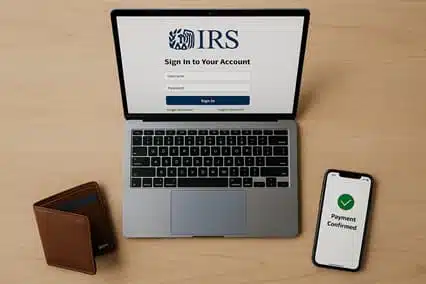
You can choose from several IRS payment options, but they do not work the same way. Fees, account access, scheduling, and payment types vary. For a free one-time bank debit, review the Direct Pay guidance before entering information.
The tax year matters just as much as the amount. A payment made in 2026 could cover a 2025 Form 1040 balance or a 2026 estimated tax obligation. The payment date does not select the year.
An IRS online payment confirmation shows that your request was submitted or authorized. It does not prove the bank debit cleared or the IRS applied it correctly. This guide explains how to select, submit, and verify an IRS online payment before assuming the balance is resolved.
Quick answer: which IRS online payment option should you choose?
For most one-time personal payments, IRS Direct Pay is usually best. It is free and requires no account. Choose an Individual Online Account for balances, history, or scheduled payments. Cards cost extra. Review your IRS online payment. The reason, form, year, amount, and bank details must match.
Key takeaways
- Direct Pay is free and simple.
- Online Account shows balances, history, and scheduled payments.
- Card and digital-wallet fees vary by processor and payment type.
- The reason and year control where the money goes.
- Confirmation does not prove posting.
- The current EFTPS rule blocks individual enrollment; businesses and existing users retain access.
- Penalties and interest continue under a payment plan.
Before paying, give the reason, form, tax year, and amount equal attention.
What is an IRS online payment, and which method fits you?
An IRS online payment is an electronic federal tax payment sent through official IRS payment methods or authorized processors. It may involve bank debits, cards, digital wallets, tax software, EFTPS, or wires. Methods differ in eligibility, fees, scheduling, proof, and visibility.
Free bank-account methods
Use IRS Direct Pay for a one-time IRS online payment from your bank. No account is needed, but identity verification still applies. An Individual Online Account adds balances, history, and scheduled payments. Use Business Direct Pay for supported obligations; individual Direct Pay does not cover every business tax.
Card, filing, business, and urgent-payment methods
- Card or digital wallet: Separate processor fees apply.
- Electronic Funds Withdrawal: Available only with e-filing.
- EFTPS: Businesses and enrolled individuals can use it, but individuals cannot open new accounts.
- Same-day wire: Your bank must meet its daily cutoff.
- Payment plan: Pay over time by agreement, not at checkout.
| Payment situation | Best starting option | Account required? | Main cost | Important limitation |
|---|---|---|---|---|
| One-time individual bank payment | Direct Pay | No | No IRS fee | Supported types only |
| Need balance and history | Online Account | Yes | No IRS fee | Identity check |
| Prefer card or wallet | Processor | No IRS account | Processor fee | Limits vary |
| Paying while e-filing | EFW | No separate account | No IRS fee | Strict change rules |
| Business or recurring payment | EFTPS or Business Direct Pay | Enrollment or verification | No IRS fee | Depends on obligation |
| Urgent bank payment | Same-day wire | Bank relationship | Possible bank fee | Cutoff matters |
| Cannot pay in full | Payment plan | Verification may apply | Possible setup fee | Interest and penalties continue |
Choose the IRS online payment method that matches the obligation. Convenience comes second to the tax details.
How do Direct Pay and the IRS Online Account compare?
For a one-time IRS online payment from your bank, Direct Pay is the simpler choice. It is free and requires no registration. Choose an Individual Online Account for account balances, payment history, or scheduled payments. Access requires a secure IRS login and identity verification.
| Feature | Direct Pay | Individual Online Account |
|---|---|---|
| IRS account required | No | Yes |
| Identity step | Prior-return information may be used | Secure account identity verification |
| Bank-account payment | Yes | Yes |
| Balance visibility | No full account dashboard | Yes |
| Payment-history visibility | Limited confirmation and lookup functions | Account payment-history access |
| Scheduled-payment visibility | Limited lookup or confirmation functions | View eligible scheduled payments |
| Best fit | One-time individual payment | Payment plus account monitoring |
Under the Direct Pay rules, you may need details from a prior return for verification. That return need not match the tax year you are paying. If you filed jointly, enter the first-listed spouse’s return information when prompted. Both tools accept an IRS online payment from an eligible checking or savings account with a U.S. routing number. Neither method changes the due date or guarantees immediate IRS posting.
How do you make an IRS online payment correctly?
Start with the tax document, not the payment screen. Match the obligation before entering your bank details.
Identify the obligation before choosing a method
Read the return, voucher, payment-plan instruction, or IRS notice. A payment made in 2026 could settle a 2025 Form 1040 balance or cover a 2026 estimated tax payment. Same payment date, different obligation. Selecting the wrong year can send money elsewhere.
Check the supported Direct Pay payment types, then identify the taxpayer, payment reason, form, and tax year or period. For a joint liability, the IRS screen determines whose identifying information you should provide.
Review and save the payment record
Use this checklist to catch common errors before submitting an IRS online payment: